

The assignment that we had to create this quarter was to make a silhouette of your self and customize it in your own way. The steps I used to complete my portrait was I first used the pen tool to outline my photo of my self, then I took my outline of my photo and filled with a color or add text to it and made it my own. We were required to create two photos using our silhouette and adding a background to basically explain who we are. The software we used to create this assignment was Adobe Illustrator program.
The way I cropped my image was by taking my image and just using from my shoulders and up portion of the picture. I thought that position was the best part of the picture. The text that I choose to use in my Self Portrait was “What do I always say… I say hey!! Smile!! Even when life brings you down look at things in a different way!!” I choose this text because it basically explains who I am as a person, which is a happy and upbeat girl! My background is pretty simple I have a some swirls on one that represents that am a little silly and other has circles.
The way I cropped my photo is a bit interesting because it sort of seems like am talking to my reflection. I think that my font and text definitely fits well with my overall Silhouette. My background definitely brings out my image and my quote your not as focused on my background but you it’s an eye catcher.
I think on this assignment I think I could’ve done a little better job than I have did, also that I could’ve put more things on the background that represented myself. I like most about my Self Portrait is the face outline I think its funny and it looks a little bit better that my actual outline would look. The new tools and techniques I used was the en tool which helped me outline my original picture and text button and symbols button that helped me put the finishing touches on my completed assignment. On my design I learned that I could do anything I wanted and still be creative and also I leaned that design looks simple but you actually have to have a lot of patience to handle the pen tool to get the right design.

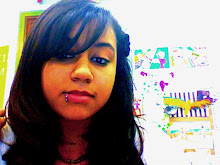
I noticed you used the effects that were already provided in the first one and it looks odd to me. Then again, you were fairly new at this so I understand you must have been fooling around with the tools. Though I suggest not to use that effect again as part of the background if one part of your project is see-through. As it would look odd and a bit strange.
ReplyDeleteI love the second one though, I can see how you seem to improve your skills a little when you compare the two together. Nice!